-
Shop
- Adidas
- Advanced Technologies
- Apple Accessories
- Best-Sellers
- Car Accessories
- Dating & Social Skills
- Digital Resources
- AI Skills
- Beauty
- Car Buying & Ownership
- Cozy Feast Collection
- Electronics & Technology
- Financial Education
- Hobbies
- Home Styling & Organization
- Mindset
- Online Business
- Parenting & Child Development
- Personal Style & Fashion
- Pet Lifestyle & Wellness
- Smart Life with AI
- Travel Planning
- Wellness
- Yoga & Fitness
- Education & Learning
- Family & Parenting
- Fashion
- Alexander McQueen
- Bags
- Bags & Wallets
- Balenciaga
- Belts
- Blazers
- Blouses & Shirts
- Bottega Veneta
- Brunello Cucinelli
- Burberry
- Chanel
- Chloé
- Dior
- Dolce & Gabbana
- Dresses
- Etro
- Fendi
- Gucci
- Hats & Hair Accessories
- Jacquemus
- Jewelry
- Jil Sander
- Keychains
- Kiton
- Luggage
- Luggage Bags
- Miu Miu
- Off-White
- Outerwear
- Prada
- Rick Owens
- Saint Laurent
- Socks & Tights
- The Row
- Tom Ford
- Valentino
- Valentino Garavani
- Versace
- Vivienne Westwood
- Watches
- Furniture
- Gadgets
- Health & Beauty
- Health & Wellness
- Home & Garden
- Kids & Babies
- Kitchen
- Lighting
- Patio, Lawn & Garden
- Personal Growth
- Pet Care
- Pet Supplies
- Pets
- Shoes
- Sport & Outdoors
- Stress Relief & Relaxation
- Travel
- Wealth
- Popular
- Best deals
VEX AI Vision Sensor Setup: Mount, Calibrate, Code
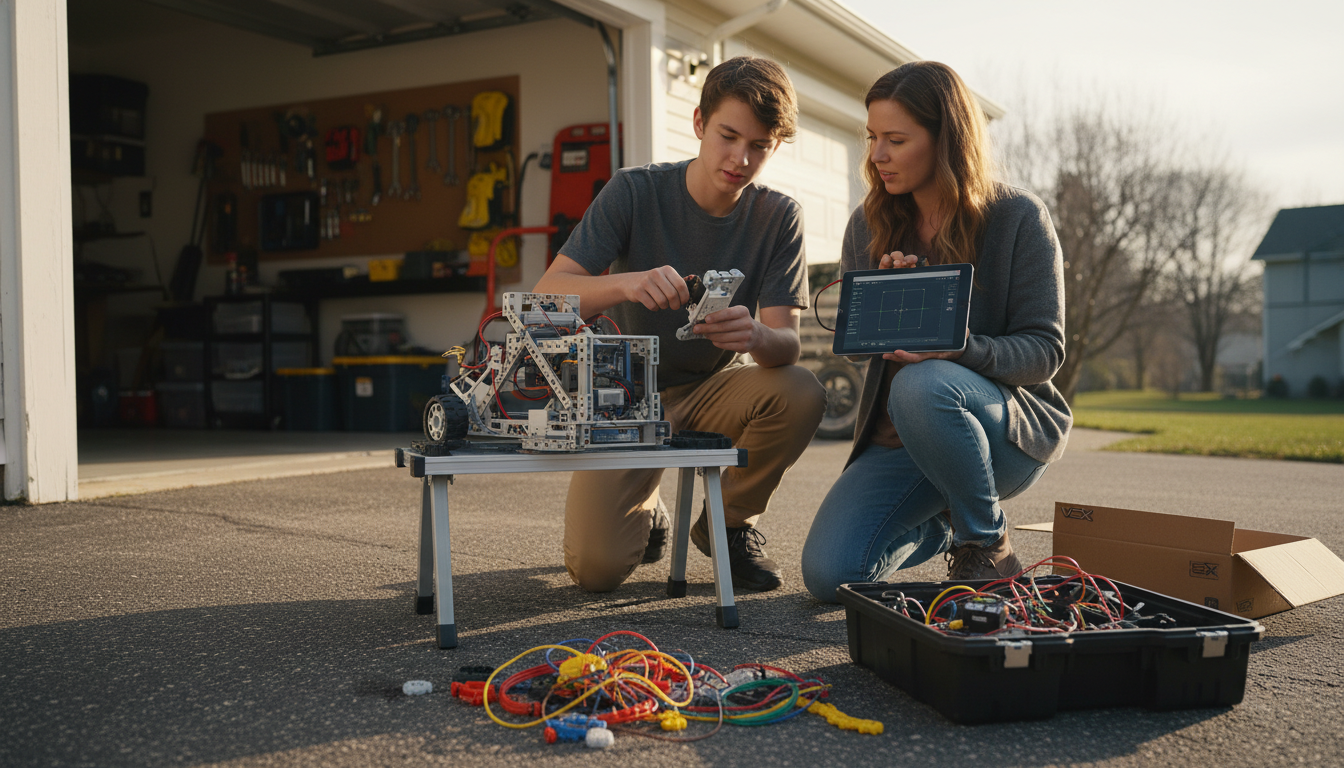
How to use VEX AI Vision sensor
The VEX AI Vision Sensor helps your robot “see” colored objects, AprilTags, and other visual features so it can make decisions autonomously. Using it well comes down to three parts: mounting and lighting, calibrating what the sensor should detect, and turning detections into reliable robot actions.
1) Mount and power it for consistent detection
Start with a solid mount that won’t vibrate or shift during driving. Aim the sensor so your target stays in view while the robot approaches (generally level with the object’s center). Keep lighting consistent—overhead glare and shadows are common reasons detections look unstable. If your environment changes, re-check the sensor angle and exposure settings.
2) Configure detection targets (colors or tags)
Open the sensor’s configuration tools and create signatures for the objects you want to track (for example, a specific game element color). For AprilTags, enable the tag mode and verify the camera can see the entire tag, not just a corner. Test detection at multiple distances and angles so you know the limits before writing autonomous routines.
3) Read results and make decisions in your program
In your VEXcode/SDK program, query the sensor for detected objects and use the returned data—such as whether a target is found, its location in the frame, and its size—to drive behavior. A common approach is to steer so the target’s X position stays centered (simple proportional steering) and use the target’s size to estimate how close you are.
4) Improve accuracy with filtering and “sanity checks”
Vision data can fluctuate frame to frame. Reduce false triggers by requiring a target to be detected for several consecutive frames, ignoring tiny blobs, and setting minimum/maximum size thresholds. If your robot turns quickly, add brief delays or smoothing so you don’t overcorrect.
See a practical build and programming workflow
For a hands-on guide that pairs vision-style sensing with an end-to-end robot workflow (mounting, alignment, and Python-based control concepts), visit: https://lurican.com/guide-lidar-vision-robot-tank-kit-python/.
FAQ
How do you improve vision sensor reliability in changing lighting?
Lock in consistent illumination when possible, avoid reflective backgrounds, and re-tune exposure/white balance for the venue. In software, add minimum size thresholds and require multi-frame confirmation before acting on a detection.
Recommended for you

Build a Lidar + Vision Robot Tank in Python
May 26, 2026







Leave a comment