-
Shop
- Adidas
- Advanced Technologies
- Apple Accessories
- Best-Sellers
- Car Accessories
- Dating & Social Skills
- Digital Resources
- AI Skills
- Beauty
- Car Buying & Ownership
- Cozy Feast Collection
- Electronics & Technology
- Financial Education
- Hobbies
- Home Styling & Organization
- Mindset
- Online Business
- Parenting & Child Development
- Personal Style & Fashion
- Pet Lifestyle & Wellness
- Smart Life with AI
- Travel Planning
- Wellness
- Yoga & Fitness
- Education & Learning
- Family & Parenting
- Fashion
- Alexander McQueen
- Bags
- Bags & Wallets
- Balenciaga
- Belts
- Blazers
- Blouses & Shirts
- Bottega Veneta
- Brunello Cucinelli
- Burberry
- Chanel
- Chloé
- Dior
- Dolce & Gabbana
- Dresses
- Etro
- Fendi
- Gucci
- Hats & Hair Accessories
- Jacquemus
- Jewelry
- Jil Sander
- Keychains
- Kiton
- Luggage
- Luggage Bags
- Miu Miu
- Off-White
- Outerwear
- Prada
- Rick Owens
- Saint Laurent
- Socks & Tights
- The Row
- Tom Ford
- Valentino
- Valentino Garavani
- Versace
- Vivienne Westwood
- Watches
- Furniture
- Gadgets
- Health & Beauty
- Health & Wellness
- Home & Garden
- Kids & Babies
- Kitchen
- Lighting
- Patio, Lawn & Garden
- Personal Growth
- Pet Care
- Pet Supplies
- Pets
- Shoes
- Sport & Outdoors
- Stress Relief & Relaxation
- Travel
- Wealth
- Popular
- Best deals
Built-In Netflix Projector: Do You Need a Stick or Phone?
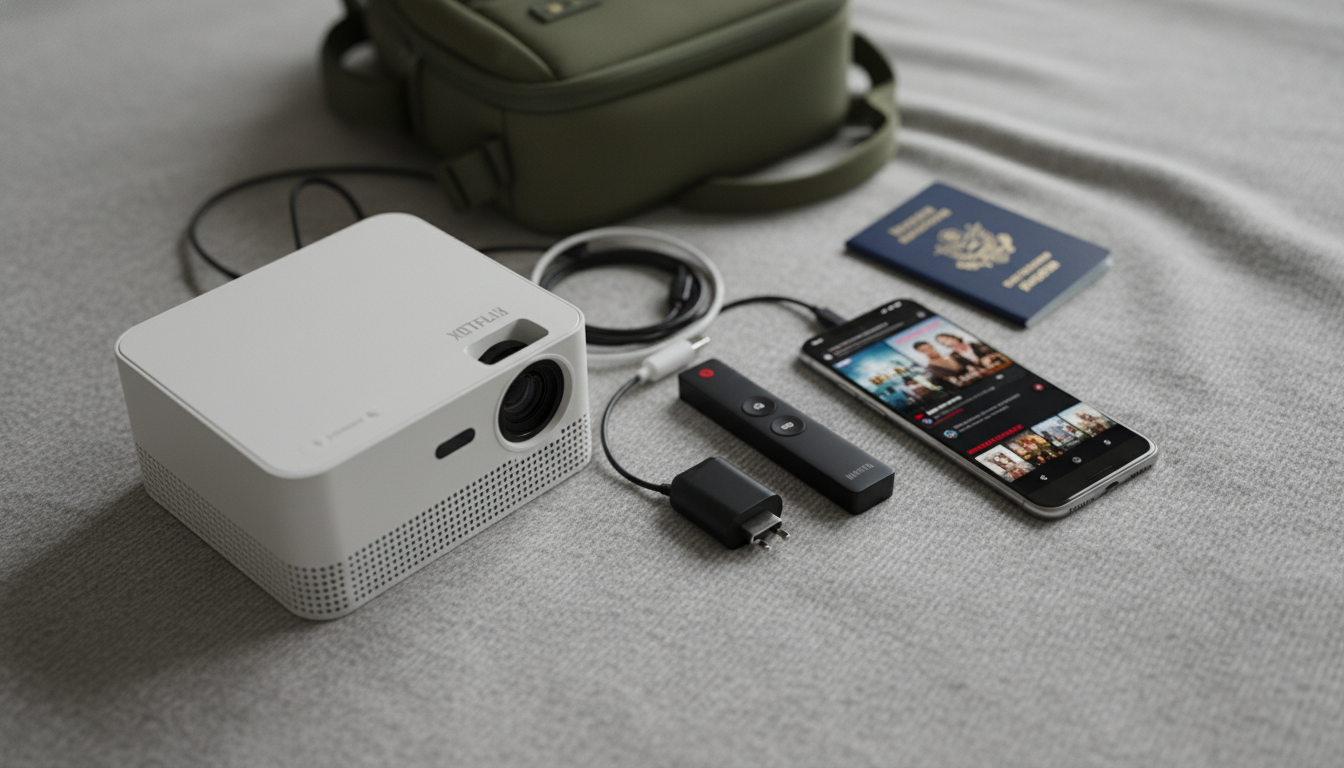
Does a smart projector with built-in Netflix need a phone or streaming stick to watch Netflix?
Usually, no. If the projector truly has Netflix built in with an officially supported Netflix app, you can sign in on the projector and stream directly over Wi‑Fi—no phone mirroring and no streaming stick required.
The catch is that “built-in Netflix” isn’t always the same thing as a fully certified Netflix experience. Some projectors run Android-based systems where Netflix may be missing from the app store, limited to lower resolution, or only accessible through a workaround. In those cases, a streaming stick (like Roku, Fire TV Stick, or Apple TV) is the simplest way to get reliable playback and better app updates. A phone can also work via casting or screen mirroring, but it’s less convenient for long viewing sessions and may introduce lag, notifications on-screen, or app restrictions.
When you can watch Netflix without anything extra
You can typically skip a phone or stick when the projector has (1) a stable internet connection, (2) a Netflix app you can install/open directly on the projector, and (3) a remote-friendly interface for logging in and controlling playback. If those three boxes are checked, the projector functions like a smart TV.
When a streaming stick is still the best move
If the Netflix app won’t install, won’t sign in, crashes, or looks capped at a lower resolution, a streaming stick connected via HDMI is the most dependable fix. Sticks often deliver smoother performance, better DRM compatibility, and faster updates than many built-in projector systems.
When using a phone makes sense
Phone casting is handy for travel or quick setup, but it’s best as a backup. Some Netflix casting methods depend on both devices being on the same network, and certain mirroring modes may be blocked or inconsistent depending on the phone and projector.
For a deeper breakdown of what “built-in Netflix” really means—and how to confirm whether a projector will stream Netflix smoothly—visit the full guide here.
FAQ
Why won’t Netflix work on some “smart” projectors?
Many projectors use modified operating systems or lack Netflix certification, which can prevent the app from appearing in the store or limit playback quality. In those situations, using an HDMI streaming device is often the quickest, most reliable workaround.
Recommended for you

Ash Leather Explained: Color, Finish & Care Tips
May 9, 2026







Leave a comment