-
Shop
- Adidas
- Advanced Technologies
- Apple Accessories
- Best-Sellers
- Car Accessories
- Dating & Social Skills
- Digital Resources
- AI Skills
- Beauty
- Car Buying & Ownership
- Cozy Feast Collection
- Electronics & Technology
- Financial Education
- Hobbies
- Home Styling & Organization
- Mindset
- Online Business
- Parenting & Child Development
- Personal Style & Fashion
- Pet Lifestyle & Wellness
- Smart Life with AI
- Travel Planning
- Wellness
- Yoga & Fitness
- Education & Learning
- Family & Parenting
- Fashion
- Alexander McQueen
- Bags
- Bags & Wallets
- Balenciaga
- Belts
- Blazers
- Blouses & Shirts
- Bottega Veneta
- Brunello Cucinelli
- Burberry
- Chanel
- Chloé
- Dior
- Dolce & Gabbana
- Dresses
- Etro
- Fendi
- Gucci
- Hats & Hair Accessories
- Jacquemus
- Jewelry
- Jil Sander
- Keychains
- Kiton
- Luggage
- Luggage Bags
- Miu Miu
- Off-White
- Outerwear
- Prada
- Rick Owens
- Saint Laurent
- Socks & Tights
- The Row
- Tom Ford
- Valentino
- Valentino Garavani
- Versace
- Vivienne Westwood
- Watches
- Furniture
- Gadgets
- Health & Beauty
- Health & Wellness
- Home & Garden
- Kids & Babies
- Kitchen
- Lighting
- Patio, Lawn & Garden
- Personal Growth
- Pet Care
- Pet Supplies
- Pets
- Shoes
- Sport & Outdoors
- Stress Relief & Relaxation
- Travel
- Wealth
- Popular
- Best deals
Full-Size Wireless Mechanical Keyboards: RGB, Hot-Swap
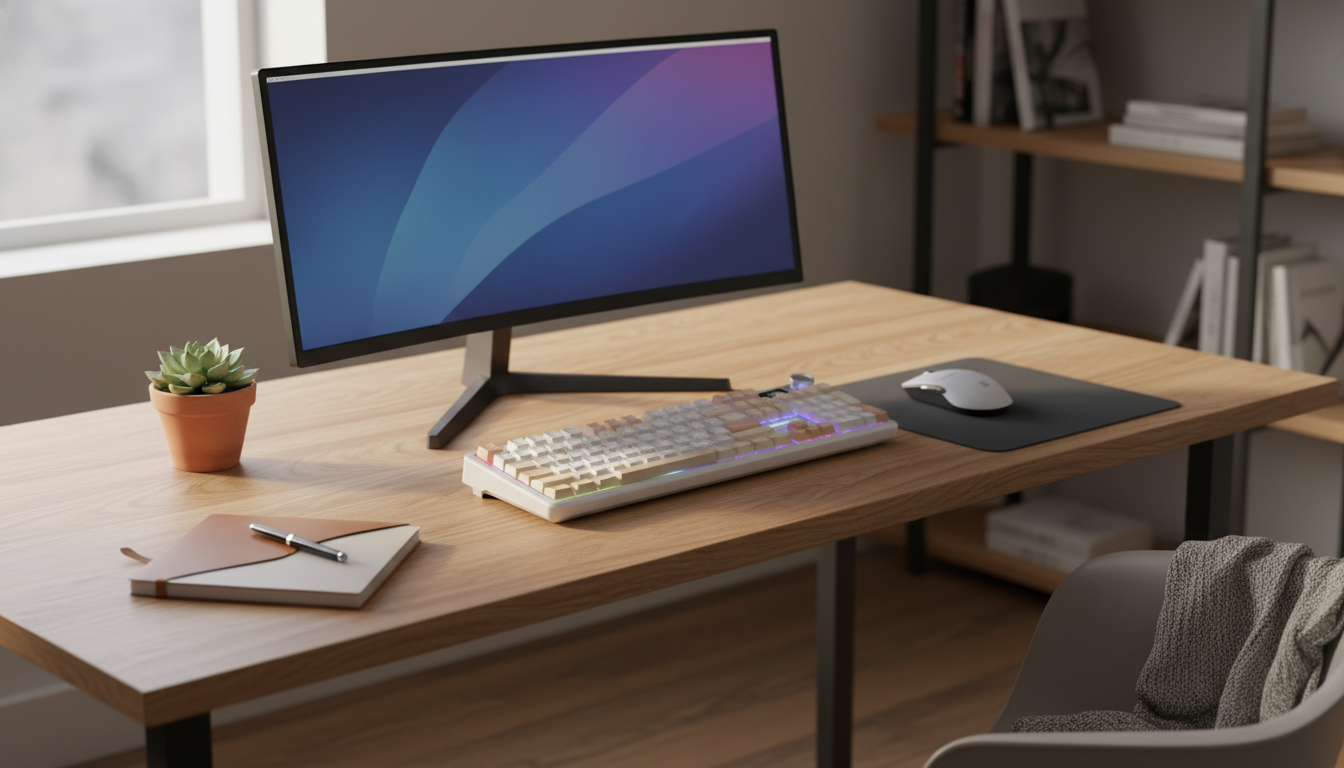
Full-Size Wireless Mechanical Keyboards: Why They’re Having a Moment
A full-size wireless mechanical keyboard is an easy way to make a desk feel “finished”—especially if you bounce between spreadsheets, email, and gaming after hours. You keep the comfort of a dedicated number pad, gain the satisfying consistency of mechanical switches, and get the freedom to place the keyboard where it feels best without fighting a cable. Newer models also add practical upgrades like hot-swap switch sockets and a small smart display that can show battery, profiles, and connection status at a glance.
Below is a practical breakdown of what sets this style apart, which features are worth prioritizing, and how to use RGB and wireless modes without turning your desk into a distraction zone.
What Makes This Keyboard Style Different
- True full-size layout: A full-size board keeps the number pad for data entry and calculator-style muscle memory, plus dedicated navigation keys (Insert/Home/Page Up, etc.) that many compact boards compress into layers.
- Wireless flexibility: Wireless connectivity supports cleaner desks and easier positioning—useful if you swap between a work laptop and a home PC, or if your monitor setup pushes your keyboard farther back.
- Mechanical feel and longevity: Mechanical switches tend to deliver more consistent actuation over time than typical membrane keyboards, and they’re easier to personalize with keycaps and switch options.
- Hot-swap customization: Hot-swap sockets let you change compatible switches without soldering, which is a big deal if you want to tune sound and feel later instead of replacing the whole keyboard.
Core Features to Prioritize Before Buying
Full-size wireless mechanical keyboards vary widely in how “premium” they feel day-to-day. Focus on the items below first, then decide what extras (like RGB and displays) matter to your routine.
Quick checklist for a full-size wireless mechanical keyboard
| Feature | Why it matters | What to verify |
|---|---|---|
| Full-size layout | Keeps number pad and dedicated nav keys | 104/105-key layout and key spacing |
| Wireless connection | Cleaner setup, flexible placement | Stable pairing, low dropouts, usable range |
| Hot-swap sockets | Switch changes without soldering | MX-style hot-swap compatibility |
| Smart display | At-a-glance status and controls | Battery/connection info, profile switching |
| RGB lighting | Visibility and aesthetics | Brightness steps, effect control, easy toggles |
| Build and sound | Comfort and acoustics over long sessions | Case rigidity, stabilizer quality, keycap feel |
Wireless mode and stability
Reliable wireless performance is more important than flashy extras. If a keyboard supports multiple wireless modes, the best experience comes from consistent pairing and predictable wake behavior. Under the hood, most wireless keyboards rely on standardized protocols; for background on Bluetooth versions and capabilities, the Bluetooth SIG maintains the Bluetooth Core Specification.
Battery and charging routine
RGB can dramatically increase battery drain. If you prefer lighting on all day, look for simple brightness controls, sleep timers, and the ability to keep typing while charging. If you mostly work in daylight, a “lights off” profile can stretch runtime significantly.
Hot-swap compatibility
Hot-swap is only as useful as the sockets and switch support. Many boards are built around MX-style hot-swap switches; if you’re unsure whether you like linear or tactile, a small switch tester can prevent costly guesswork.
Smart display usefulness
A smart display is most valuable when it reduces friction: checking battery percentage, confirming which device is active, or switching profiles without opening software. It should feel like a shortcut, not another thing to configure.
Using the Smart Display and RGB Without Distraction
- Show the essentials: Battery percentage, connection mode, and the active profile are typically the most helpful items to keep on-screen.
- Build two lighting profiles: A low-brightness “work” mode and a brighter “play” mode makes it easy to switch vibes without constantly tweaking settings.
- Choose calmer effects for productivity: Static lighting or subtle breathing effects can help key visibility with less motion distraction than rainbow wave patterns.
- Create quick toggles: If supported, bind a shortcut for RGB on/off and device switching so moving between machines takes seconds.
Hot-Swap Keys: A Simple Customization Path
Hot-swap sockets make experimentation approachable. Instead of committing to a full switch swap immediately, start small and learn what you actually enjoy.
Wireless Tradeoffs and How to Avoid Common Issues
For a deeper technical view of how keyboards report inputs over USB, the USB-IF publishes the USB HID Usage Tables, which define standardized input usage codes.
Who Benefits Most from a Full-Size Wireless Mechanical Keyboard
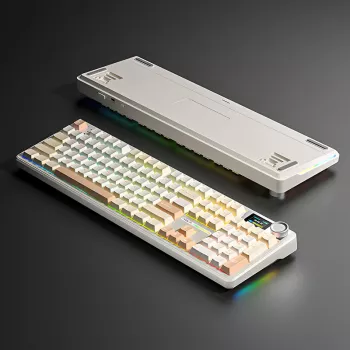
Product Spotlight: Full-Size Wireless Mechanical Keyboard with RGB, Smart Display & Hot-Swap Keys
If you want the full-size layout plus modern convenience features in one board, the Full-Size Wireless Mechanical Keyboard with RGB, Smart Display & Hot-Swap Keys is built around daily usability: number pad included, wireless freedom, customizable RGB, and hot-swap sockets for future switch upgrades. The smart display adds quick visibility into key settings and status so you can confirm battery and modes without digging through menus.
Easy desk upgrades that pair well with a cleaner wireless setup
- Modern 2-Tier Faux Marble Coffee Table with Gold Metal Frame for a stylish lounge or studio area near your workspace
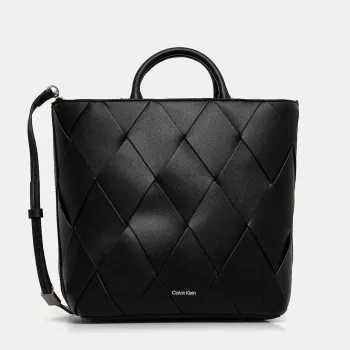
- Calvin Klein Women’s Black Zip Tote Bag to carry a laptop and accessories between home and office
FAQ
What are full-size keyboards called?
They’re most commonly called full-size keyboards, often referring to a 104-key ANSI layout (common in the U.S.) or a 105-key ISO layout (common in parts of Europe). Full-size typically includes the function row, a navigation cluster, and a dedicated number pad.
What are the disadvantages of a wireless keyboard?
The main downsides are battery charging, the possibility of interference or occasional dropouts, and pairing quirks when switching devices. Some users also prefer wired connections for the most consistent low-latency performance, especially for competitive gaming.








Leave a comment