-
Shop
- Adidas
- Advanced Technologies
- Apple Accessories
- Best-Sellers
- Car Accessories
- Dating & Social Skills
- Digital Resources
- AI Skills
- Beauty
- Car Buying & Ownership
- Cozy Feast Collection
- Electronics & Technology
- Financial Education
- Hobbies
- Home Styling & Organization
- Mindset
- Online Business
- Parenting & Child Development
- Personal Style & Fashion
- Pet Lifestyle & Wellness
- Smart Life with AI
- Travel Planning
- Wellness
- Yoga & Fitness
- Education & Learning
- Family & Parenting
- Fashion
- Alexander McQueen
- Bags
- Bags & Wallets
- Balenciaga
- Belts
- Blazers
- Blouses & Shirts
- Bottega Veneta
- Brunello Cucinelli
- Burberry
- Chanel
- Chloé
- Dior
- Dolce & Gabbana
- Dresses
- Etro
- Fendi
- Gucci
- Hats & Hair Accessories
- Jacquemus
- Jewelry
- Jil Sander
- Keychains
- Kiton
- Luggage
- Luggage Bags
- Miu Miu
- Off-White
- Outerwear
- Prada
- Rick Owens
- Saint Laurent
- Socks & Tights
- The Row
- Tom Ford
- Valentino
- Valentino Garavani
- Versace
- Vivienne Westwood
- Watches
- Furniture
- Gadgets
- Health & Beauty
- Health & Wellness
- Home & Garden
- Kids & Babies
- Kitchen
- Lighting
- Patio, Lawn & Garden
- Personal Growth
- Pet Care
- Pet Supplies
- Pets
- Shoes
- Sport & Outdoors
- Stress Relief & Relaxation
- Travel
- Wealth
- Popular
- Best deals
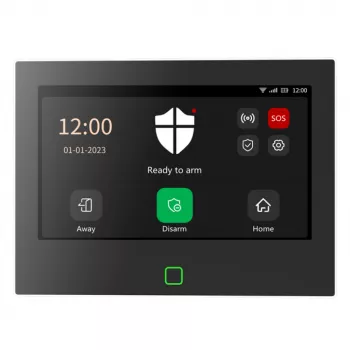
7-Inch Smart Alarm Panel: WiFi + 4G, App & Voice
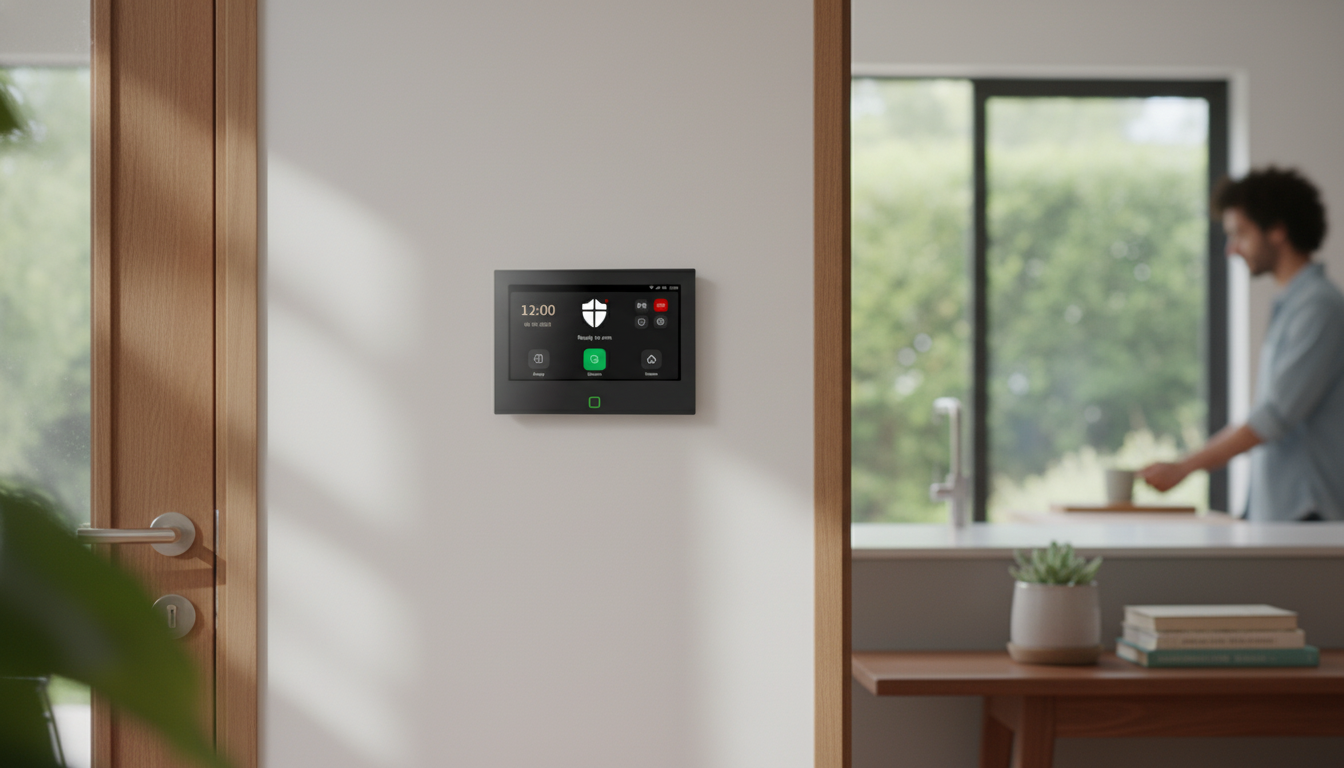
7-Inch Smart WiFi 4G Home Security Alarm System with App & Voice Control
A modern alarm setup should stay connected during internet hiccups, be simple to arm/disarm, and provide clear, actionable alerts. This 7-inch smart panel pairs WiFi and 4G connectivity with app and voice control to help monitor entry points, manage arming modes, and respond quickly—whether at home or away. For more guidance, see Best Google Home Security Systems of 2026.
What this system is designed to do
This style of alarm system centers daily security tasks around a single, easy-to-read touchscreen while keeping control available on your phone. The goal is practical protection: quick status checks, straightforward mode changes, and timely notifications that help you decide what to do next. For further reading, see Best Home Security Systems for Google Home in 2026.
- Acts as a central hub with a large 7-inch touchscreen for fast status checks and everyday control.
- Supports remote monitoring and control through a mobile app for arming/disarming and alert review.
- Adds hands-free convenience via voice control for common actions (arming modes, status checks) when supported by the connected ecosystem.
- Maintains communication options by combining WiFi with 4G for more resilient alert delivery.
- Creates a layered approach to home protection by coordinating the panel with compatible sensors and accessories.
Key features at a glance
- 7-inch touch panel: larger on-wall interface can reduce reliance on the phone for basic tasks.
- Dual-path connectivity: WiFi for everyday use and 4G as an alternative path when broadband is unstable or unavailable.
- App control: manage modes, receive notifications, and review events from anywhere with mobile data.
- Voice control: supports quicker, hands-free operation for routine commands in the home.
- Expandable ecosystem: designed to work with a range of sensors and devices, enabling coverage across doors, windows, and interior zones.
Feature checklist
| Capability | Why it matters | Where it helps most |
|---|---|---|
| 7-inch touchscreen panel | Clear visibility and easier navigation than small keypads | Entryway, kitchen, main hallway |
| WiFi + 4G connectivity | More reliable alerting when one network path fails | Homes with spotty internet or power/network interruptions |
| Mobile app control | Remote arming/disarming and real-time alerts | Travel, work, second homes |
| Voice control | Hands-free mode changes and quick actions | Busy households, accessibility needs |
| Expandable sensors/zones | Coverage can scale with the home’s layout | Apartments to multi-room houses |
How WiFi and 4G work together for dependable alerts
Dual connectivity is about resilience. Most days, WiFi handles app syncing, notifications, and routine system updates. If the home internet drops, 4G can act as a backup communication path so alerts still have a way out—assuming cellular service is available and the 4G feature is activated.
- WiFi typically handles day-to-day connectivity for app syncing and notifications when home internet is stable.
- 4G can provide an alternate communication path so alerts and status updates can still be delivered when WiFi is down.
- Best practice: treat dual connectivity as redundancy, not as a substitute for proper sensor placement and arming habits.
- If using 4G, confirm the supported bands/carriers and plan requirements before installation to avoid activation delays.
- For the most consistent performance, place the panel where WiFi signal is strong and cellular reception is reliable.
For helpful background on wireless basics and what can affect reliability indoors, the FCC Consumer Guides are a solid reference.
App control and voice control in daily use
The most useful smart-alarm features tend to be the ones you use every day: quick arming modes, clear alerts, and simple access management. The app becomes your remote key fob and event log, while voice control helps with routines when you’re juggling groceries, kids, or nighttime check-ins.
- Arming modes: set routines such as “Away” for full perimeter/interior coverage and “Home” for perimeter-only use.
- Real-time alerts: receive notifications promptly and distinguish between entry events, sensor triggers, and system status changes.
- User access: assign access for household members and manage permissions so daily use stays simple without compromising control.
- Voice control convenience: helpful for quick arming/disarming workflows, especially when hands are full or during nighttime routines.
- Recommended habit: keep critical actions (like changing admin settings) restricted to trusted accounts to reduce accidental changes.
For practical steps to tighten account and network security around smart home devices, see NIST consumer guidance on home cybersecurity.
Installation and setup (practical roadmap)
Reliability, privacy, and safe operation
Home security works best when it’s maintained like any other essential system: a quick monthly check, battery awareness, and sensible account practices. If you’re comparing devices, it can also help to understand what third-party testing and certifications mean; UL’s overview of certification explains the basics.
Who this 7-inch smart alarm system fits best
Product details and current availability
Product: 7-Inch Smart WiFi 4G Home Security Alarm System with App & Voice Control
More in-stock picks
- Modern 2-Tier Faux Marble Coffee Table with Gold Metal Frame
- Calvin Klein Women’s Black Zip Tote Bag
FAQ
Does the system still send alerts if the WiFi goes down?
It can, if the 4G option is supported, activated, and there’s adequate cellular signal where the panel is installed. WiFi typically handles normal operation, while 4G serves as an alternate route for alerts when broadband is unavailable, and it may require a separate plan.
Can multiple people control the alarm from their phones?
Many app-based alarm systems support multiple users, letting household members arm/disarm and view alerts based on permission settings. For better accountability and safety, use separate logins and reserve admin-level changes for trusted users.
How can false alarms be reduced with motion and entry sensors?
Mount sensors securely, follow placement guidance for doors and windows, and adjust motion sensitivity to match the room and household activity. After moving furniture, changing HVAC airflow, or adding pets to a space, re-test zones to confirm consistent triggering without nuisance alerts.
Recommended for you


Top 3 Dog Food Allergies: Beef, Chicken, Dairy
May 24, 2026







Leave a comment