-
Shop
- Adidas
- Advanced Technologies
- Apple Accessories
- Best-Sellers
- Car Accessories
- Dating & Social Skills
- Digital Resources
- AI Skills
- Beauty
- Car Buying & Ownership
- Cozy Feast Collection
- Electronics & Technology
- Financial Education
- Hobbies
- Home Styling & Organization
- Mindset
- Online Business
- Parenting & Child Development
- Personal Style & Fashion
- Pet Lifestyle & Wellness
- Smart Life with AI
- Travel Planning
- Wellness
- Yoga & Fitness
- Education & Learning
- Family & Parenting
- Fashion
- Alexander McQueen
- Bags
- Bags & Wallets
- Balenciaga
- Belts
- Blazers
- Blouses & Shirts
- Bottega Veneta
- Brunello Cucinelli
- Burberry
- Chanel
- Chloé
- Dior
- Dolce & Gabbana
- Dresses
- Etro
- Fendi
- Gucci
- Hats & Hair Accessories
- Jacquemus
- Jewelry
- Jil Sander
- Keychains
- Kiton
- Luggage
- Luggage Bags
- Miu Miu
- Off-White
- Outerwear
- Prada
- Rick Owens
- Saint Laurent
- Socks & Tights
- The Row
- Tom Ford
- Valentino
- Valentino Garavani
- Versace
- Vivienne Westwood
- Watches
- Furniture
- Gadgets
- Health & Beauty
- Health & Wellness
- Home & Garden
- Kids & Babies
- Kitchen
- Lighting
- Patio, Lawn & Garden
- Personal Growth
- Pet Care
- Pet Supplies
- Pets
- Shoes
- Sport & Outdoors
- Stress Relief & Relaxation
- Travel
- Wealth
- Popular
- Best deals
Should You Use Projector Auto Focus? When It Helps
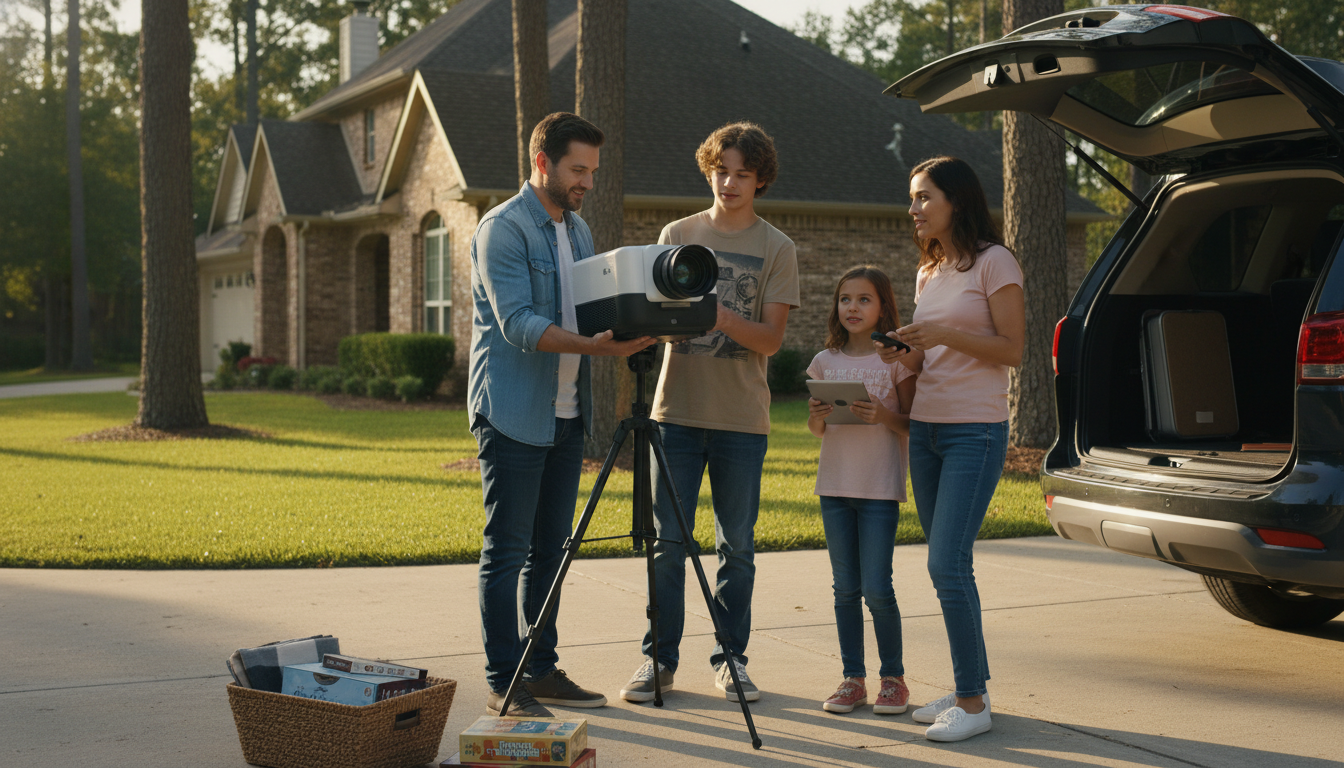
Should you use auto focus?
Auto focus is worth using when you want quick, consistent sharpness without stopping to fine-tune the image. On modern projectors, it can save time every time you power on, move the unit, or switch between content sources—especially if you project onto different wall surfaces or reposition the projector for movie night versus gaming.
When auto focus makes the biggest difference
Auto focus is most helpful in real-world setups where the projector gets bumped, rotated, or moved between rooms. It’s also useful for larger images (like 100–150 inches), where slight blur is more noticeable. If you frequently adjust throw distance or place the projector on a coffee table one day and a shelf the next, auto focus can keep your picture sharp with minimal effort.
When you might skip auto focus
If your projector is permanently mounted and rarely moved, manual focus can be a “set it and forget it” step. You might also prefer manual focus if you’re very sensitive to focus “hunting” (brief shifts while the projector locks focus) or if your viewing environment has tricky surfaces—highly textured walls, busy wallpaper, or low-contrast screens—where some auto systems can struggle.
How to get the best results with auto focus
For the cleanest focus, start with a stable placement and let the projector finish any automatic adjustments before judging sharpness. If the picture looks crisp in the center but soft on the edges, check alignment and keystone settings; heavy keystone correction can reduce edge clarity even if focus is technically correct. In those cases, minimizing keystone and positioning the projector more squarely to the screen can help.
A practical rule
Use auto focus as your default for convenience, then switch to manual fine-tuning if you notice persistent softness or focus shifts. For a deeper walkthrough of how auto focus works on today’s projectors—and how it pairs with other setup features—see the main guide here: https://lurican.com/blog/guide-auto-focus-1080p-projector-5ghz-wifi-bluetooth-150-inch/.
FAQ
Does keystone correction reduce image sharpness?
It can. Keystone digitally reshapes the image, which may soften fine details, especially at the edges. For best sharpness, aim for physical alignment first and use minimal keystone only when necessary.
Recommended for you

When a Round Coffee Table Doesn’t Work in Your Space
May 18, 2026
Gold vs. Silver Jewelry: Find Your Undertone Glow
May 19, 2026





Leave a comment